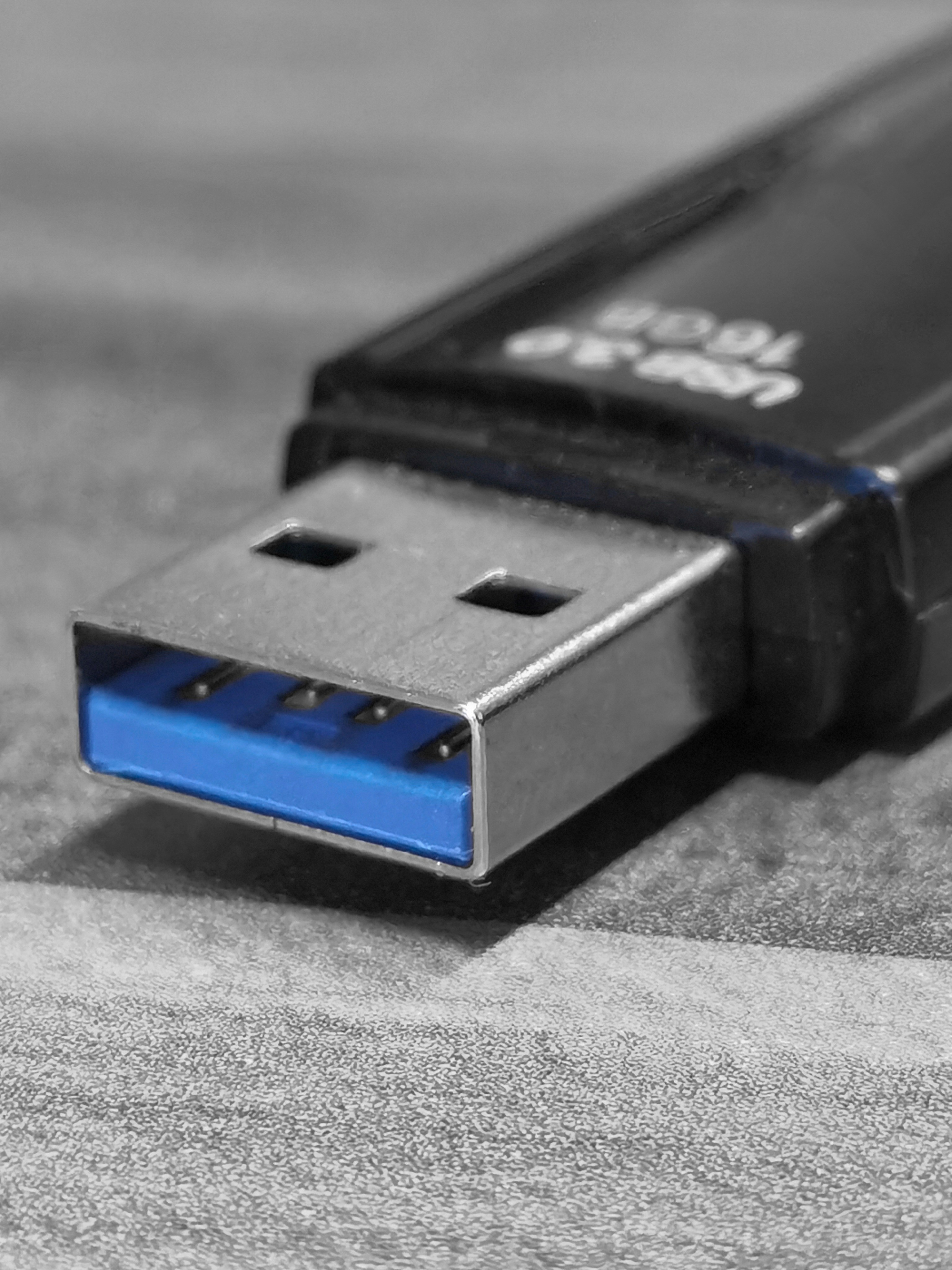
Introduction to USB 3.2 Gen 2
Universal Serial Bus (USB) technology has undergone significant evolution since its inception in the mid-1990s, transforming how devices communicate and transfer data. Among these advancements, USB 3.2 Gen 2 represents a notable milestone in data transfer capabilities. Launched as an enhancement to earlier standards, it brings increased efficiency, speed, and versatility to modern devices, which is crucial in today’s high-speed digital landscape.
USB 3.2 Gen 2 is characterized by its remarkable maximum data transfer rate of up to 10 Gbps, effectively doubling the throughput of its predecessor, USB 3.1 Gen 2. This enhancement not only facilitates quicker file transfers but also allows for seamless operation of multiple data streams. The introduction of this standard addressed the increasing demand for higher performance levels in various applications, including high-resolution video editing, extensive data backups, and real-time data analysis.
The advancement to USB 3.2 has also ushered in enhanced connectivity options. Adhering to the USB Type-C connector format, devices equipped with USB 3.2 Gen 2 offer a reversible design that simplifies user experience while improving compatibility between various devices. This shift signifies a broader movement in technological design towards efficiency and user-friendliness, making the transition to USB 3.2 Gen 2 not just a technical upgrade but a lifestyle enhancement.
Moreover, the USB 3.2 Gen 2 standard supports not only improved data transfer but also better power delivery capabilities, which can facilitate faster charging for compatible devices. By integrating power and data within a single connection interface, it has further solidified its position as a vital technology for modern electronics.
Understanding Data Transfer Speeds
Data transfer speeds are a critical aspect of USB connections, reflecting the rate at which data can be transmitted between devices. For USB technology, these speeds are primarily categorized as theoretical maximum speeds and actual achievable speeds. Theoretical speeds denote the maximum possible bandwidth that a particular USB version can handle under optimal conditions. For instance, USB 3.2 Gen 2 offers a theoretical maximum speed of 10 Gbps, which is significantly faster than its predecessors.
However, actual data transfer speeds often fall short of these theoretical limits. Several factors contribute to this discrepancy, including the quality of the USB cable, the capabilities of the connected devices, and environmental conditions. For example, if a high-speed cable is used with a device that supports only USB 2.0, the maximum transfer speed will be limited to the lower standard regardless of the cable’s capabilities. Furthermore, interference from nearby electronic devices and the length of the USB cable can also affect performance, as longer cables may experience attenuation or signal degradation.
Additionally, the type of data being transferred can impact speed. Small files may take longer to transfer as they often incur additional overhead, while larger files can benefit from higher speeds due to reduced overhead per byte transferred. It is also essential to consider the file systems in use and the methods by which devices manage data during the transfer process. In many cases, the drivers and firmware of devices involved play a significant role in achieving optimal speeds.
In summary, while USB 3.2 Gen 2 boasts impressive theoretical speeds, actual transfer rates are influenced by numerous factors, including hardware limitations, cable quality, and environmental conditions. Understanding these elements is crucial for maximizing the performance of USB connections.
USB 3.2 Generations Explained
Universal Serial Bus (USB) technology has undergone significant advancements since its inception, evolving through various generations that enhance data transfer speeds and overall performance. The most notable generations include USB 1.0, USB 2.0, USB 3.0, USB 3.1, and USB 3.2, each introducing improvements over its predecessor.
USB 1.0, released in 1996, supported a maximum data transfer speed of 1.5 Mbps, which was a revolutionary advancement for peripheral connectivity at the time. Following its launch, USB 2.0 emerged in 2000, boasting a considerable upgrade with a maximum transfer speed of 480 Mbps, significantly improving the efficiency of data transactions.
The introduction of USB 3.0 in 2008 marked a pivotal moment in the evolution of USB technology. With speeds reaching up to 5 Gbps, USB 3.0 provided a substantial boost in data transfer capabilities, enabling faster communication between devices. Consequently, this generation laid the groundwork for subsequent developments.
USB 3.1, launched in 2013, presented further enhancements by doubling the speed to 10 Gbps, as well as introducing the Type-C connector, which offered a reversible design for user convenience. The latest in this lineage, USB 3.2, was released in 2017. USB 3.2 expanded the capabilities of its predecessor, providing multiple alternative modes that support higher speeds. Notably, USB 3.2 Gen 2 offers speeds of 10 Gbps, reaffirming its positioning as a competitive option in the panorama of USB technology.
As the USB standard continues to evolve, newer generations are characterized not only by increased speeds but also by improved power delivery and enhanced data handling capabilities, ensuring a robust and versatile framework adaptable to modern computing demands.
Maximum Speed Specification of USB 3.2 Gen 2
The USB 3.2 Gen 2 standard represents a significant advancement in data transfer technology, with a maximum speed of 10 Gbps (gigabits per second). This improvement marks a notable increase from the previous USB 3.1 standard, which offers a maximum speed of 5 Gbps. The doubling of the data transfer rate allows users to experience faster performance when moving large files or streaming high-quality video data. For instance, a user transferring a 10 GB file would theoretically take just a few seconds with USB 3.2 Gen 2 compared to almost double that time using USB 3.1.
Furthermore, USB 3.2 Gen 2 utilizes a more efficient data transfer protocol, improving overall throughput and reducing latency. This development is particularly beneficial for creative professionals who work with large multimedia files, as well as for gamers who rely on rapid transfer speeds for updates and installations. Additionally, the increased speed enhances the overall functionality of external storage devices, allowing for quicker backups and file retrieval processes.
When comparing USB 3.2 Gen 2 with earlier USB types, the advantages become even more apparent. The USB 3.0, for example, supports a maximum data transfer speed of 5 Gbps, falling short of the capabilities provided by the newer 3.2 Gen 2 standard. Even though the improvements are substantial, it is important for users to ensure that their devices, cables, and ports support USB 3.2 to fully leverage the increased speed. As technology progresses, understanding these specifications will be crucial for maximizing data transfer efficiency and performance in various applications.
Real-World Performance of USB 3.2 Gen 2
USB 3.2 Gen 2 represents a significant advancement in data transfer technology; however, its performance in real-world applications can vary widely based on several factors. While it theoretically supports transfer speeds of up to 10 Gbps, achieving these rates in practice can be influenced by cable quality, device compatibility, and overall system architecture.
One crucial factor affecting USB 3.2 Gen 2 performance is the quality of the cable used. High-quality USB cables can support the maximum speeds of the specification, while faulty or substandard cables may introduce signal degradation, leading to decreased data transfer speeds. It is essential to select cables that are specifically marked as supporting USB 3.2 Gen 2 to ensure optimal performance.
Device compatibility also plays a pivotal role. The devices connected via USB 3.2 Gen 2 must be capable of handling the increased bandwidth. For instance, connecting a USB 3.2 Gen 2 flash drive to a USB 3.0 port will result in reduced performance, as the port can only support the maximum speeds of up to 5 Gbps. Moreover, each connected device contributes to the overall data load on the bus, which may further hinder the speed if multiple devices operate simultaneously.
Another important consideration is the system architecture. The capabilities of the motherboard, chipset, and processor can significantly impact the actual speeds experienced by users. Systems that support high-speed data transfer with ample resources can utilize the full potential of USB 3.2 Gen 2, while older systems may bottleneck performance due to hardware limitations.
Ultimately, achieving the best performance from USB 3.2 Gen 2 in real-world situations involves ensuring that all components are compatible and optimized for high-speed data transfer. This holistic approach allows users to take full advantage of the speed advancements promised by this innovative technology.
Comparison with Other USB Standards
The advent of USB standards has greatly enhanced data transfer speeds and connection capabilities, with USB 3.2 Gen 2 being a notable advancement in this realm. To better understand where USB 3.2 Gen 2 stands, it’s essential to compare it with its predecessors and other contemporaneous standards, such as USB 3.1, USB 3.2 Gen 1, and USB 4.
USB 3.1, introduced before USB 3.2, provides a maximum speed of up to 10 Gbps. It significantly improved upon the previous USB 3.0 standard, which offered speeds of 5 Gbps. However, with the introduction of USB 3.2 Gen 1, the maximum speed remained the same at 5 Gbps, which can be confusing due to the naming conventions. USB 3.2 Gen 2 doubled the speed to 10 Gbps and improved efficiency by allowing multiple data lanes. Furthermore, USB 3.2 Gen 2×2 escalated this speed to 20 Gbps by employing two lanes at 10 Gbps each, showcasing a significant enhancement in data transfer capacities.
On the other hand, USB 4 marks another leap forward, supporting speed capabilities up to 40 Gbps, effectively enhancing both bandwidth and versatility in applications. This standard also incorporates Thunderbolt 3 compatibility, integrating power delivery and data transfer into a single connection. However, it is important to note that to achieve these higher speeds, both the component and cable specifications must support the full USB 4 capabilities.In assessing these standards, the choice largely depends on the user’s specific requirements. For general data transfer needs, USB 3.2 Gen 2 offers a robust solution. In contrast, for high-performance applications demanding faster transfer rates, USB 4 may be the more suitable option. Ultimately, the decision should consider the required speed and compatibility with existing devices.
Compatibility and Connectivity Issues
USB 3.2 Gen 2 represents a significant advancement in data transfer speeds, reaching up to 10 Gbps. However, its effectiveness hinges on compatibility with older interfaces and devices. When integrating USB 3.2 Gen 2 into an existing setup, users may encounter various compatibility challenges, particularly when connecting devices that utilize previous USB standards.
To achieve the maximum performance offered by USB 3.2 Gen 2, it is vital to ensure that both the host device and the peripheral support this specification. Compatible ports are essential; only devices equipped with USB Type-C or specific USB 3.2 Gen 2 ports can deliver the expected speed. Connecting a USB 3.2 Gen 2 device to a USB 3.0 or older port will not only result in slower speeds but may also lead to connectivity issues.
Common connectivity issues may arise from outdated drivers or improper cabling. For instance, using a USB cable that does not support the USB 3.2 Gen 2 standard can bottleneck performance. Therefore, it’s important to invest in high-quality USB cables that are rated for the required specifications to assure optimal transfer rates. Additionally, users should update their system drivers regularly to eliminate potential conflicts that could hinder performance.
Troubleshooting potential problems begins with identifying the specifications of all connected devices. Accessories, such as hubs and docking stations, must also be checked for USB 3.2 compatibility. Regular system diagnostics and checking the device manager can help ensure that all hardware is functioning correctly. Understanding these connectivity nuances will enhance the user experience, enabling them to utilize the full capabilities of USB 3.2 Gen 2.
Future Developments in USB Technology
The world of USB technology is continuously evolving, and as we look beyond USB 3.2 Gen 2, several advancements are already on the horizon. One of the most significant and anticipated developments is USB 4, which is poised to revolutionize data transfer speeds and overall connectivity. USB 4 aims to consolidate various protocols into a single universal standard, greatly enhancing compatibility and efficiency for numerous devices.
With USB 4, users can expect data transfer rates of up to 40 Gbps, essentially doubling the speeds offered by USB 3.2 Gen 2. This leap in performance is expected to cater to demanding applications such as 4K and 8K video streaming, advanced gaming, and significantly faster file transfers for high-capacity storage solutions. Furthermore, the integration of Thunderbolt 3 specifications within USB 4 indicates an exciting future where devices can communicate seamlessly regardless of the underlying technology.
Beyond USB 4, the industry is actively exploring other emerging technologies that may redefine data transfer capabilities. Innovations such as optical USB, which utilizes light to transmit data, hold potential for unprecedented speeds and reduced latency. Additionally, advancements in wireless data transfer technologies might complement traditional USB connections, providing users with greater flexibility and convenience in their day-to-day interactions with devices.
The impact of these technologies is not limited to speed alone; they promise to enhance data security, power delivery, and versatility in usage. As manufacturers continue to innovate and develop these technologies over the coming years, we anticipate that connectivity will become even more seamless, paving the way for smarter, faster, and more integrated devices.
Conclusion and Summary of Key Points
In this exploration of USB 3.2 Gen 2, we have dissected its maximum data transfer speed of 10 Gb/s, a significant advancement over its predecessors, notably USB 3.0 and USB 3.1. This high-speed capacity is crucial for a range of applications that demand rapid data transfer, such as high-definition video streaming, large file transfers, and external disk drives. As digital content continues to grow in size and complexity, the relevance of USB 3.2 Gen 2 becomes increasingly apparent, offering users a reliable solution in a fast-evolving technological landscape.
The USB 3.2 Gen 2 standard also supports backward compatibility, ensuring that users can utilize their existing USB devices alongside newer ones without issues. This feature streamlines the transition to faster technology while protecting investments in older devices. Furthermore, the increased data transmission speeds not only enhance user experience but also improve the efficiency of various professional tasks that rely on swift data handling.
In today’s competitive tech industry, making informed choices about connectivity options is essential. Understanding the capabilities of USB 3.2 Gen 2 allows consumers to select devices that best meet their needs, ensuring optimal performance whether for personal use or professional environments. As we have seen, the enhancements brought by USB 3.2 Gen 2 significantly improve how we interact with technology, laying the groundwork for future innovations in data transfer standards.
In conclusion, USB 3.2 Gen 2 stands out as a crucial development in connection technology, achieving speeds conducive to contemporary demands and offering a glimpse into the future of connectivity solutions.