Introduction to Thunderbolt Technology
Thunderbolt technology represents a significant advancement in high-speed connectivity, providing users with versatile options for connecting peripherals and transferring data. Initially launched in 2011, Thunderbolt 1 introduced a groundbreaking 10 Gbps data transfer rate utilizing the Mini DisplayPort (MDP) connector, which allowed for video and data signals to coexist through a single cable. This innovation streamlined the connection process and facilitated the use of multiple devices, fostering a new era of digital communication.
The evolution of Thunderbolt continued with the introduction of Thunderbolt 2 in 2013, which doubled the data transfer speed to 20 Gbps, while maintaining compatibility with its predecessor’s Mini DisplayPort connector. This enhancement provided additional bandwidth for complex tasks, such as dual 4K display setups or heavy data transfers, which previously required more cumbersome solutions. Understanding these physical connectors and their specifications is essential for tech enthusiasts and users alike; as the capabilities of connected devices rely heavily on the interface used.
The continued development of Thunderbolt technology reflects a broader trend towards increasingly efficient and versatile connections in the computing world. As an integral component of various high-performance laptops, desktop computers, and external devices, knowing about Thunderbolt connectors can help users make informed decisions regarding compatibility and performance. Furthermore, as technology continues to evolve, understanding the transition from Thunderbolt 1 to Thunderbolt 2 provides a foundational knowledge that will be valuable when exploring future iterations of this technology.
Overview of Thunderbolt 1 and 2
Thunderbolt 1 and 2 are high-speed connectivity standards designed to facilitate rapid data transfer and versatile connectivity for computers and peripherals. Introduced by Intel, both standards have contributed to the evolution of I/O technology, enhancing device performance and interoperability.
Thunderbolt 1 was released in 2011 and operates at a maximum transfer rate of 10 Gbps. This dual-mode technology combines PCI Express and DisplayPort into a single connection, allowing for both data and video transmission through a single cable. The capability to daisy-chain multiple devices—up to six on a single connection—further expands its utility, making Thunderbolt 1 an attractive option for professionals requiring high bandwidth for tasks such as video editing and data-intensive applications.
In 2013, Thunderbolt 2 was introduced, bringing improvements to the existing technology. By doubling the bandwidth to 20 Gbps, Thunderbolt 2 efficiently combines two 10 Gbps channels, ensuring faster data rates. This enhancement makes Thunderbolt 2 particularly suitable for high-resolution video editing, enabling seamless workflows for creatives working with 4K content. Additionally, Thunderbolt 2 maintains compatibility with previous Thunderbolt iterations and DisplayPort, ensuring that users could continue utilizing their existing peripherals without needing to invest in new hardware.
Both Thunderbolt 1 and 2 utilize the Mini DisplayPort connector, which allows for a compact design while ensuring high performance. As technology has advanced, the significance of Thunderbolt connectivity can be seen in its continued adaptation and support for various forms of devices, including external storage systems, docking stations, and displays. The evolution of these standards signifies ongoing improvements in data transfer capabilities, empowering users in a fast-paced digital world.
The Physical Connectors Used
Thunderbolt 1 and Thunderbolt 2, both developed by Intel, utilize the same physical connector, which is the Mini DisplayPort. This uniformity in design has facilitated compatibility across devices that support these two versions, allowing for seamless connectivity and usage. The Mini DisplayPort connector is compact in size, making it suitable for laptops and other devices where space efficiency is crucial.
At first glance, the Mini DisplayPort may resemble other similar connectors, such as the DisplayPort and HDMI; however, it is essential to note that the Thunderbolt technology incorporates additional capabilities. The Mini DisplayPort connector supports not only video output but also data and power delivery, making it a versatile choice for modern peripherals.
Thunderbolt 1 was the first iteration, introduced in 2011 with a maximum bandwidth of 10 Gbps. This was a significant advancement in data transfer technology, allowing users to connect multiple devices through a single port without compromising speed. Thunderbolt 2 followed in 2013, building upon its predecessor by introducing a dual-channel architecture, which effectively doubled the throughput to a robust 20 Gbps. This enhancement further solidified the Mini DisplayPort connector’s role in high-performance applications.
The compatibility of the Thunderbolt Mini DisplayPort with other standards, including the DisplayPort 1.2, means that users can easily daisy-chain up to six Thunderbolt devices while also connecting to non-Thunderbolt displays. As such, the Mini DisplayPort connector has become a preferred choice in the industry for its ability to streamline connections while maintaining high performance. Understanding this physical connector is crucial for users looking to harness the full potential of Thunderbolt technology.
Technical Specifications of Mini DisplayPort
The Mini DisplayPort is a compact digital display interface developed by Apple, which has become a standard for transferring video and audio data. It was introduced in 2008 as a smaller alternative to the standard DisplayPort, and has since been widely adopted in various devices, particularly by Apple products, including MacBooks and iMacs. Mini DisplayPort combines video output capabilities with the ability to deliver audio, paving the way for seamless connectivity across a range of peripherals.
One of the defining characteristics of Mini DisplayPort is its ability to support high video resolutions, including 4K at 60Hz through its compatibility with the DisplayPort 1.2 specification. This allows users to connect to high-definition displays while ensuring that both picture quality and refresh rates are optimal. Mini DisplayPort is also known for its versatility, as it can be utilized with adapters to connect to HDMI, DVI, and VGA displays, therefore broadening its application beyond just native Mini DisplayPort monitors.
In terms of physical construction, the Mini DisplayPort connector is approximately 20mm long and 7mm wide, featuring a low-profile design that facilitates port integration into thin devices. The connector’s configuration includes 20 pins, which not only support standard video signals but also enable features like DisplayPort Multi-Stream Transport (MST). This enables the connection of multiple monitors through a single Mini DisplayPort connection, thus enhancing productivity and workspace efficiency.
The implementation of Thunderbolt technology in conjunction with Mini DisplayPort bolsters its capabilities further, allowing for significant increases in data transfer rates. Thunderbolt 1, supporting speeds of up to 10 Gbps, and Thunderbolt 2, which aggregates two 10 Gbps channels into a single 20 Gbps connection, utilize the same physical Mini DisplayPort interface. This showcases the adaptability of the Mini DisplayPort, catering to both video and high-speed data interchange needs in a singular connection.
Compatibility of Thunderbolt Connectors
The compatibility of Thunderbolt 1 and 2 connectors is an important aspect to consider for users who wish to integrate these technologies into their existing setups. Thunderbolt 1 and 2, developed by Intel, utilize the same physical connector, which is based on the Mini DisplayPort design. This uniformity in connector design allows for a high level of backward compatibility with DisplayPort devices. Consequently, users can connect standard DisplayPort monitors and devices to Thunderbolt ports without the need for additional adapters, facilitating an easy transition to more advanced technologies.
Thunderbolt 1, which was introduced in 2011, supports data transfer rates of up to 10 Gbps and can simultaneously carry power and data over a single cable. Moving to Thunderbolt 2, which debuted in 2013, the technology doubled the data transfer rates to 20 Gbps, while still retaining the compatibility with existing Thunderbolt 1 devices. This backward compatibility means that users who own Thunderbolt 1 devices can benefit from the enhanced speeds of Thunderbolt 2 without needing to replace their existing equipment.
Moreover, this compatibility is also evident in a range of devices and peripherals. For instance, many external displays, docking stations, and storage solutions designed for DisplayPort functionality can seamlessly connect to a Thunderbolt 1 or 2 port. This versatility not only broadens the options available to users but also emphasizes the practicality of the Thunderbolt standard.Thus, the design of the Thunderbolt 1 and 2 connectors ensures that they serve users effectively, merging new technology with established devices, and enhancing the overall user experience across various types of equipment.
Implications for Device Connectivity
Thunderbolt 1 and 2 represent significant advancements in terms of device connectivity and interoperability. These interfaces utilize Mini DisplayPort connectors, offering a versatile solution that supports both data transfer and video output. Such physical connector choice allows a broad array of devices, including displays, storage solutions, and docking stations, to connect seamlessly and enhance user experience.
One of the primary implications of using Thunderbolt 1 and 2 is the ability to daisy chain multiple devices. This feature eliminates the need for numerous ports and cables, simplifying the physical setup. For instance, users can connect a Thunderbolt-enabled monitor to a laptop while simultaneously connecting external hard drives and other peripherals. The effective implementation of this connectivity protocol significantly enhances workflow for professionals who rely on multiple devices.
The native compatibility with DisplayPort technologies further expands usability, allowing Thunderbolt devices to function as high-definition video outputs. This is particularly beneficial for individuals working in graphics-intensive fields, such as video editing and photography, where high-resolution screens are essential. The availability of different types of Thunderbolt adapters also serves to bridge older equipment with newer technology, allowing legacy devices to leverage the benefits of faster data transfer speeds.
Despite the advantages presented by these connectors, the choice of physical design is not without its challenges. Users must ensure that their devices are equipped with the appropriate Thunderbolt version support, as older devices may not reap the full benefits of Thunderbolt 2’s enhanced speed and capabilities. As technology progresses, understanding the implications of physical connectors like those utilized by Thunderbolt will become increasingly important for effective device connectivity.
The Transition to Thunderbolt 3 and Beyond
The evolution of Thunderbolt technology has been marked by significant changes, particularly when comparing Thunderbolt 2 to Thunderbolt 3. Thunderbolt 2 utilized the Mini DisplayPort connector, which was consistent with Apple’s design philosophy and allowed users to connect multiple devices, including displays and external storage, through a single port. However, the introduction of Thunderbolt 3 brought a dramatic shift not only in performance but also in its physical connector.
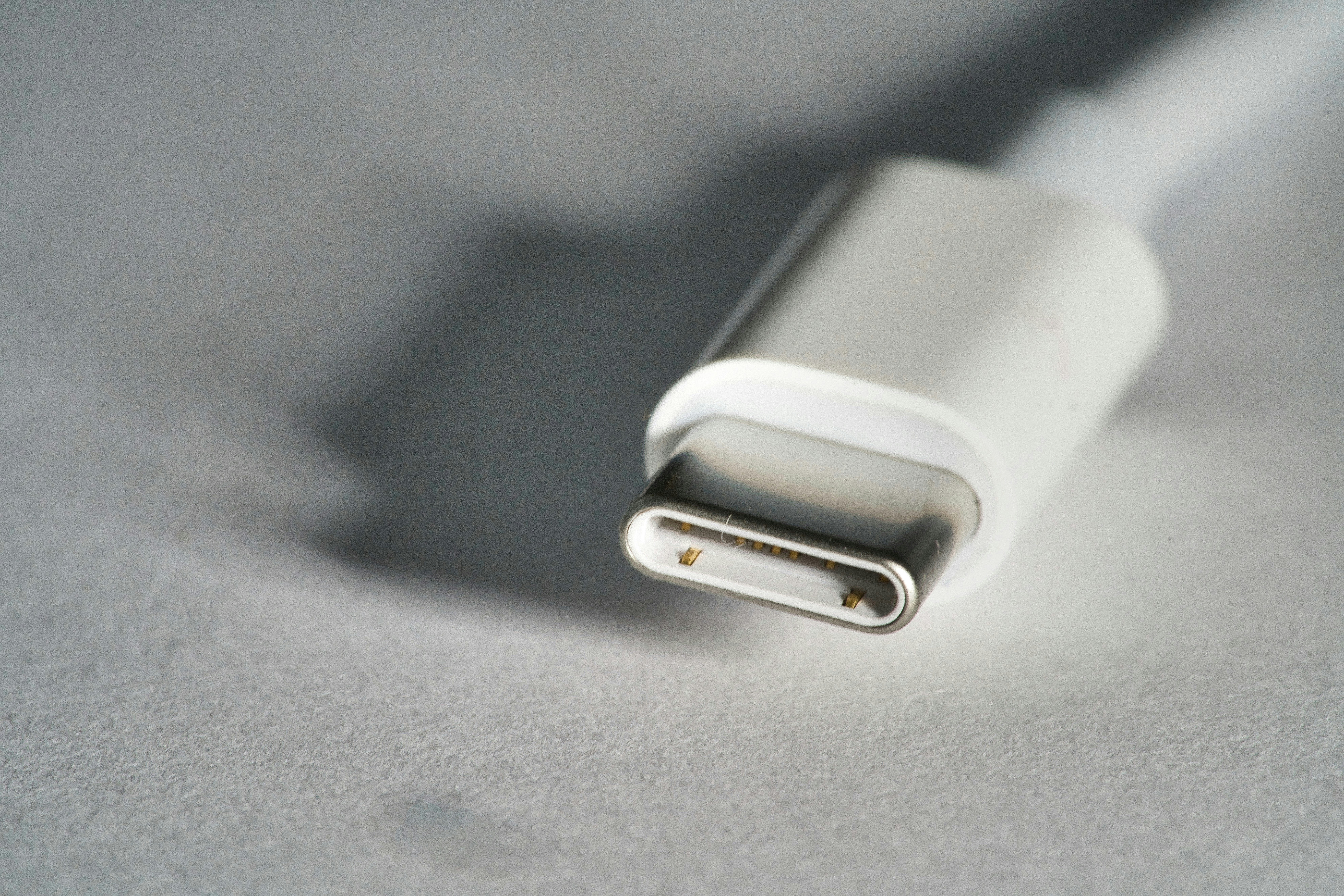
Thunderbolt 3 transitioned to the USB-C connector, which has since become ubiquitous across various devices. This change enhances versatility, as the USB-C format supports a wide array of protocols beyond Thunderbolt, including USB 3.1 and DisplayPort. This transition allows users to connect a multitude of devices, such as monitors, external hard drives, and docking stations, utilizing the same port. The ability to daisy-chain multiple peripherals continues in Thunderbolt 3, albeit now with the added benefit of a more compact and reversible connector that improves usability.
For users looking to upgrade their devices, the switch to Thunderbolt 3 necessitates an assessment of compatibility. Devices that originally supported Thunderbolt 2 will require adapters to transition to the new USB-C Thunderbolt 3 ecosystem. While this may add an initial complication, the enhanced performance capabilities, including support for data transfer speeds of up to 40 Gbps and increased power delivery, are worthwhile benefits. Adopting Thunderbolt 3 also prepares users for future integrations as technology continues to evolve. Thus, while the transition involves navigating new hardware, it ultimately places users at the forefront of technological advancement.
Advantages of Thunderbolt Connectors
Thunderbolt 1 and 2 connectors have significantly transformed the way users approach connectivity in computing devices. One of the most notable advantages of these connectors is their remarkable data transfer speeds. Thunderbolt 1 offers a speed of up to 10 Gbps, while Thunderbolt 2 improves this to 20 Gbps. This level of performance is crucial for anyone working with large files, such as video editing professionals and graphic designers, allowing for rapid transfer and seamless workflow.
In addition to speed, versatility is another key benefit of Thunderbolt connectors. Thunderbolt 1 and 2 are designed to support multiple protocols, including DisplayPort and PCI Express. This capability enables users to connect a wide range of peripherals, such as external hard drives, monitors, or docking stations, all through a single port. Such adaptability reduces cable clutter and simplifies workspace setups, making it an attractive solution for both personal and professional environments.
Moreover, the ease of use associated with Thunderbolt connectors cannot be overlooked. The connectors are designed with a user-friendly approach, featuring a symmetrical design that allows for reversible plug-in. This functionality eliminates the common frustration of determining the correct orientation when connecting devices, providing a more efficient user experience. Furthermore, the daisy-chaining feature allows users to connect multiple Thunderbolt devices using a single port, further enhancing convenience.
In summary, the advantages of Thunderbolt 1 and 2 connectors lie in their impressive data speeds, versatility in connectivity, and ease of use. These features make them a preferred choice for users looking to streamline their setups and enhance performance across a variety of applications.
Conclusion
Understanding the physical connectors of Thunderbolt 1 and 2 is crucial for anyone involved in technology, particularly when considering compatibility among various devices. Thunderbolt technology, developed by Intel in collaboration with Apple, has become a standard for high-speed data transfer and versatile connectivity. By grasping the specifications and physical attributes of Thunderbolt 1 and 2, users can make informed decisions when purchasing peripherals, ensuring that they select devices that are compatible with their existing technology.
The two iterations of Thunderbolt share similar connectors but differ in performance and capabilities. Thunderbolt 1 utilizes a Mini DisplayPort connector, which supports data transfer rates of up to 10 Gbps. In contrast, Thunderbolt 2 offers the same physical connector while allowing for combined bandwidth, effectively increasing data transfer speeds to 20 Gbps. Recognizing these differences becomes essential when setting up workstations or multimedia environments, as using the correct cable and devices maximizes performance.
Furthermore, as the evolution of technology continues, understanding legacy connectors like those used in Thunderbolt 1 and 2 aids in grasping how modern interfaces, such as Thunderbolt 3 and USB-C, have developed. The transition to newer technology often requires knowledge of older standards, particularly in environments where devices are interconnected. Therefore, becoming familiar with Thunderbolt connectors ensures both seamless integration and effective utilization of available technology, while also paving the way for future upgrades.
Ultimately, a thorough comprehension of physical connectors and their significance is not merely an academic exercise; it is a practical necessity in the rapidly advancing technological landscape, thereby enhancing user experience and device efficiency.