Introduction to Thunderbolt Technology
Thunderbolt technology has revolutionized the way we connect various devices to computers, offering a seamless combination of data transfer, video output, and power delivery. Initially introduced by Intel in 2011, Thunderbolt technology has evolved significantly from its first iteration, Thunderbolt 1, to the latest standard, Thunderbolt 4.
Thunderbolt 1 was a groundbreaking technology that provided data transfer speeds of up to 10 Gbps, utilizing the Mini DisplayPort connector. This allowed users to connect multiple peripherals, such as monitors and external drives, through a single cable. The capability to transfer both data and video over the same connection set a new standard for connectivity.
The subsequent versions, including Thunderbolt 2 and Thunderbolt 3, further improved upon this foundational technology. Thunderbolt 2 enhanced data bandwidth to 20 Gbps by combining two 10 Gbps channels, while Thunderbolt 3 introduced a significant shift by adopting the USB-C connector, a move that made it more versatile and widely adopted. Thunderbolt 3 also increased the maximum data transfer rate to an impressive 40 Gbps, enabling faster data transfer for high-resolution video and large files.
Thunderbolt 4, released in 2020, maintains the 40 Gbps transfer speeds of its predecessor but adds new features, such as support for daisy-chaining up to six devices and the ability to power laptops with up to 100 watts. This ensures compatibility and enhances versatility, making Thunderbolt 4 a robust choice for professionals and consumers alike.
With its impressive specifications and versatility, Thunderbolt technology has become integral in modern computing, enabling sophisticated workflows and high-performance applications. As it continues to adapt and grow, it sets a benchmark for future connectivity solutions, catering to the ever-increasing demands for speed and efficiency in data transfer and device interconnectivity.
What is Thunderbolt 3?
Thunderbolt 3 is a versatile connection standard that has gained widespread adoption in the technology sector due to its impressive specifications and capabilities. Designed by Intel, Thunderbolt 3 utilizes a USB Type-C connector, allowing for a unified port for data, video, and power delivery.
One of the defining features of Thunderbolt 3 is its maximum data transfer speed of 40 Gbps, which is double that of its predecessor, Thunderbolt 2. This high bandwidth enables Thunderbolt 3 to support multiple protocols including PCI Express, DisplayPort, and USB, facilitating the connection of a variety of devices. The protocol support allows for seamless connectivity of external graphics cards, high-resolution displays, and fast storage devices, making it particularly popular among professionals in fields such as graphic design, video editing, and data analysis.
Thunderbolt 3 is commonly found in many modern laptops and docking stations, providing users with enhanced performance and versatility. Devices equipped with Thunderbolt 3 can connect to a wide range of peripherals including external monitors with 4K resolution, as well as multi-device docking stations that allow for charging and data transfer through a single cable. This convenience further elevates the user experience by reducing cable clutter and simplifying device management.
In addition to its data transfer capabilities, Thunderbolt 3 supports power delivery up to 100 watts, enabling laptops to charge rapidly without requiring a separate power adapter. This feature adds to the portability of devices utilizing Thunderbolt 3, catering especially to mobile professionals who require reliable power solutions on the go.
What is Thunderbolt 4?
Thunderbolt 4 represents a significant advancement in connectivity technology, building upon the foundation laid by Thunderbolt 3. As a universal port standard, Thunderbolt 4 maintains compatibility with a broad range of devices while introducing notable features that enhance performance and usability.
One of the key improvements of Thunderbolt 4 over its predecessor is its mandatory support for various functionalities that enhance the overall user experience. For instance, it necessitates a minimum bandwidth of 40 Gbps, ensuring faster data transfer rates that can handle high-performance tasks such as video editing and large file transfers. This increased bandwidth not only elevates device capabilities but also supports multiple 4K displays, a notable upgrade for professionals utilizing high-definition monitors.
Furthermore, Thunderbolt 4 requires support for USB4, effectively merging two powerful technologies and ensuring compatibility across a variety of devices. This aspect significantly eases the integration into existing setups, allowing users to connect Thunderbolt and USB devices seamlessly. Additionally, Thunderbolt 4 mandates the inclusion of daisy-chaining functionality, which permits users to connect up to six devices to a single Thunderbolt port, streamlining workspace organization and reducing cable clutter.
Security features have also been improved with Thunderbolt 4, incorporating mechanisms that protect against potential risks associated with external devices. This added layer of safety is particularly essential for users in professional domains where data confidentiality is a priority. Overall, Thunderbolt 4 not only enhances performance but also represents a future-proof solution for users looking for versatile connectivity options.
The Physical Connectors Used for Thunderbolt 3 and 4
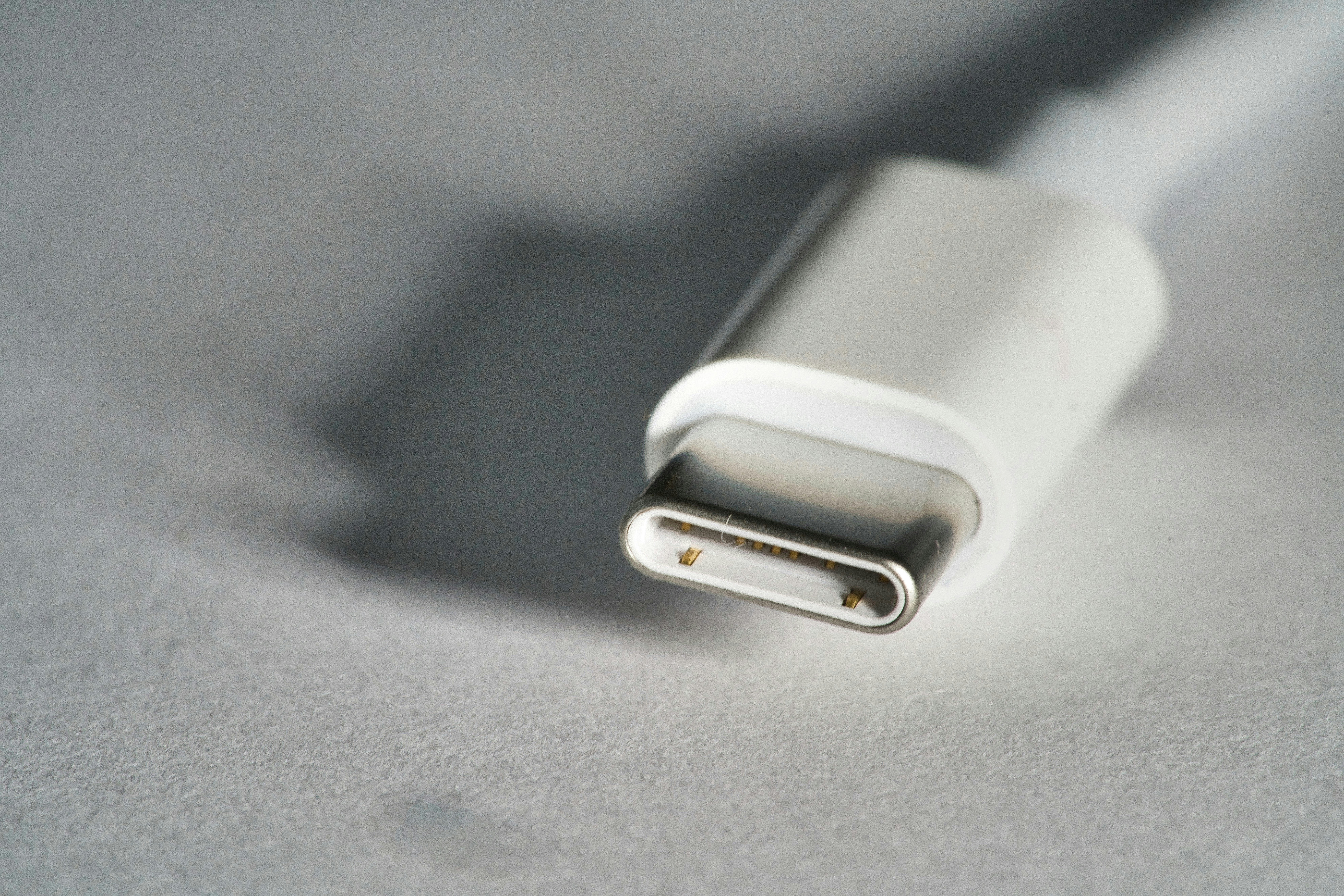
The Thunderbolt 3 and 4 protocols utilize the USB-C connector, a versatile interface that has become integral to modern computing. This connector features a compact, reversible design, making it user-friendly and efficient. Unlike previous connectors, the USB-C framework allows for a smaller form factor, accommodating an array of devices without sacrificing performance.
A key feature of the USB-C connector is its pin configuration, which consists of 24 pins that facilitate multiple protocols, including power delivery and high-speed data transfer. Thunderbolt 3 and 4 leverage this pin layout to achieve optimal performance, with data transfer speeds reaching up to 40 Gbps. The symmetry of the USB-C connector not only provides visual appeal but also eliminates the frustrations commonly associated with traditional USB connectors, such as orientation mismatches.
One notable advantage of the USB-C connector is its ability to support various functionalities through a single port. This includes the ability to connect peripherals, charge devices, and even output video signals, significantly reducing cable clutter. Moreover, the USB-C standard is compatible with previous USB standards, allowing users to transition smoothly from older technologies while benefiting from enhanced speed and capabilities.
Additionally, the USB-C connector is designed with durability in mind, featuring a robust construction that can withstand repeated use. This resilience ensures that devices equipped with Thunderbolt 3 and 4 can maintain high performance levels over time, making them particularly appealing to consumers and professionals alike. Overall, the USB-C connector represents a significant advancement in connectivity technology, aligning with the increasing demands for speed, versatility, and user convenience in today’s digital landscape.
Differences Between Thunderbolt 3 and 4 Connectors
Thunderbolt 3 and Thunderbolt 4 utilize the same USB-C connector, which may lead users to believe that there are no significant differences between them. However, this is not entirely true as there are noteworthy distinctions that affect compatibility, performance expectations, and overall user experience.
One major difference between Thunderbolt 3 and 4 connectors lies in their performance capabilities. Thunderbolt 4 is designed to support a minimum data transfer rate of 40 Gbps, similar to Thunderbolt 3. However, Thunderbolt 4 goes further by ensuring that every port must support a minimum of 100 watts of power delivery, paving the way for better device charging and power management. As a result, users transitioning from Thunderbolt 3 to Thunderbolt 4 may experience improved connectivity and charging efficiencies.
Compatibility is another crucial area where differences emerge. While Thunderbolt 3 devices are generally compatible with Thunderbolt 4 ports, not all features may be accessible. For instance, users may find that certain Thunderbolt 3 peripherals do not support the full performance capabilities outlined for Thunderbolt 4. This could lead to limitations in functionality, such as reduced data speeds or a lack of support for daisy chaining multiple devices. Therefore, it is essential for users to consider these compatibility aspects when planning to use existing Thunderbolt 3 devices in a Thunderbolt 4 environment.
Finally, when examining the implications for users transitioning from Thunderbolt 3 to 4, it is clear that the upgrade brings about a more robust and user-friendly experience. With stricter certification requirements, Thunderbolt 4 ensures that all supported devices meet high-performance standards. Users will benefit from enhanced compatibility and expandability, strengthening their current setups and contributing to a more seamless integration of future technology.
Identifying Thunderbolt 3 and 4 Ports
Identifying Thunderbolt 3 and 4 ports on various devices can be a straightforward process if you know what to look for. The first step involves examining the shape and design of the connector. Both Thunderbolt 3 and 4 utilize the USB-C connector, which is oval in shape, allowing for reversible plug orientation. Thus, at first glance, distinguishing between Thunderbolt and standard USB-C ports based solely on the connector shape can be challenging.
The visual indicators on the port itself can often provide clarity. Thunderbolt 3 and 4 ports are typically marked with a distinctive lightning bolt icon. This icon may appear either next to or above the USB-C port. It’s also essential to note that while many USB-C ports may support data transfer and charging, only those explicitly marked with the Thunderbolt emblem can handle the higher bandwidth and capabilities of Thunderbolt technology.
Another useful method for identifying Thunderbolt 3 and 4 ports is to check the device specifications. This information is often available in the technical documentation provided by the manufacturer or on the manufacturer’s website. Look for mentions of Thunderbolt in the device specifications. The technical data sheets will typically clarify the number of Thunderbolt ports and their associated features, such as their maximum data transfer rates and support for daisy-chaining multiple devices.
Additionally, some devices display information about their ports in the operating system settings. For instance, on macOS, users can navigate to the ‘About This Mac’ section and click on ‘System Report’ to gather detailed information related to Thunderbolt connections. This approach can provide insights into the ports present on a machine without needing physical inspection.
Devices that Utilize Thunderbolt 3 and 4 Connectors
Thunderbolt 3 and Thunderbolt 4 technology has become increasingly prevalent in a variety of devices, showcasing its flexibility and efficiency in handling data and power. These connectors are widely used in laptops and desktops, peripherals, and diverse electronic devices.
Laptops and desktops are some of the most popular devices featuring Thunderbolt 3 and 4 connectors. Major manufacturers, including Apple, Dell, HP, and Lenovo, have integrated this technology into their flagship models. The high-performance laptops, such as the MacBook Pro and Dell XPS series, leverage Thunderbolt to deliver rapid data transfer rates, allowing users to connect multiple high-resolution displays and external storage solutions simultaneously. The ability to daisy-chain devices enhances productivity, making Thunderbolt connectors a significant factor in purchasing decisions.
Peripherals also capitalize on Thunderbolt technology. Thunderbolt docks and hubs provide multiple ports for connecting additional peripherals such as monitors, keyboards, and mice. These hubs enable users to expand their connectivity options while maintaining high data transfer speeds. For example, popular docks from brands like CalDigit and OWC support a range of devices, providing seamless integration for both professional and casual users.
Moreover, storage devices such as external SSDs and RAID systems utilize Thunderbolt 3 and 4 for rapid data access and transfer, catering to creative professionals needing substantial bandwidth for tasks such as video editing. Brands like Samsung and LaCie have released portable SSDs that leverage Thunderbolt technology, significantly diminishing transfer times and enhancing overall workflow.
In the realm of electronics, varying devices like monitors and even audio interfaces use Thunderbolt connectors for superior performance. High-res displays from companies like LG and ASUS utilize Thunderbolt connections to provide remarkable image quality and refresh rates, further exemplifying the versatility of this technology.
Future of Thunderbolt Technology
The evolution of Thunderbolt technology has consistently positioned it as a benchmark for high-speed data transfer and versatile connectivity solutions. As we anticipate the future of Thunderbolt 3 and 4, key advancements may emerge that ensure its continuing relevance in an ever-evolving tech landscape. As USB standards evolve, the focus on greater bandwidth and data transfer capabilities will become increasingly paramount.
Current advancements highlight that Thunderbolt technology can push the boundaries of performance compared to traditional USB interfaces, like USB 3.2 and USB4. With the introduction of USB4, which provides a similar connector, the interplay between these standards will be crucial. Thunderbolt is likely to maintain its edge by offering superior performance metrics, including higher data transfer speeds—up to 40 Gbps—while providing enhanced capabilities like support for multiple 4K displays.
Looking ahead, future iterations of Thunderbolt may emerge with even bolder specifications, possibly incorporating high-speed data transfer beyond 40 Gbps, improved power delivery for connected devices, and more efficient multimedia handling. The potential integration of Thunderbolt with emerging technologies such as PCI Express (PCIe) could also redefine its applicability, expanding usage into new areas such as gaming and professional media production.
Moreover, as the tech landscape progresses towards wireless connectivity, Thunderbolt technology may need to adapt over time to complement or upgrade its offerings, potentially embedding wireless capabilities without sacrificing speed or reliability. Such developments could signal a shift in how devices communicate over distance while maintaining the integrity of data transfer.
In summary, the future of Thunderbolt will depend not only on technological advancements but also on its ability to coexist and compete with evolving USB standards, ensuring that it remains a prominent choice for users demanding high performance and versatility in their connectivity solutions.
Conclusion
In this discussion, we have explored the significance of Thunderbolt 3 and 4 technologies in the realm of modern computing. These advancements in connectivity not only enhance performance but also expand the versatility of devices across various applications. The physical connector used by Thunderbolt technologies plays a crucial role in ensuring high-speed data transfer and versatile power delivery, which are hallmarks of this innovative interface.
The USB-C connector utilized by Thunderbolt 3 and 4 provides a unified format that is increasingly becoming the standard in various devices, enhancing compatibility and ease of use. This dual-purpose connector allows users to connect multiple devices ranging from hard drives to displays, all while delivering high bandwidth and power. The focus on a singular connector type simplifies the user experience, making it easier to leverage the capabilities that Thunderbolt technology offers.
Moreover, the introduction of Thunderbolt 4 builds upon its predecessor by ensuring even stricter compliance requirements, which can lead to improved performance and interoperability. As computing environments evolve, the impact of Thunderbolt technology is evident in increased productivity and reduced clutter. The synergy between high-speed data connections and versatile physical connectors places Thunderbolt at the forefront of data transfer solutions.
In conclusion, understanding the physical connector used by Thunderbolt 3 and 4 is essential for both consumers and professionals alike. The advantages these technologies bring to modern computing, coupled with their robust connector designs, underscore their importance in facilitating seamless connections and enhanced user experiences. As we advance into a more interconnected world, the relevance of Thunderbolt will undoubtedly continue to grow, making it a fundamental component of future computing solutions.