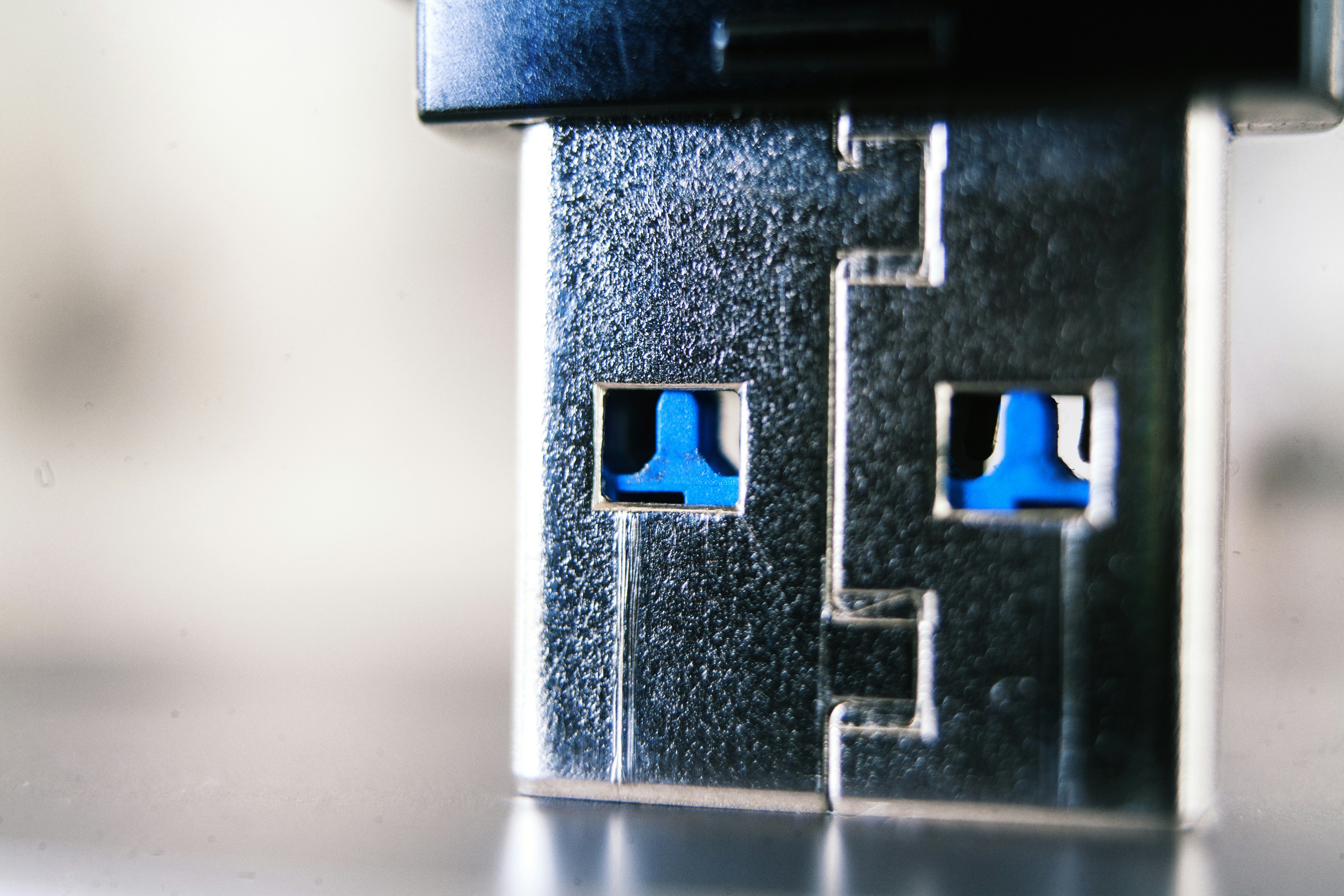
Introduction to USB Type-A Connectors
Universal Serial Bus (USB) Type-A connectors have emerged as a staple in the realm of digital connectivity since their introduction in the mid-1990s. Renowned for their rectangular shape, these connectors serve as a primary interface used in a multitude of devices ranging from computers and laptops to printers and external hard drives. The inception of USB technology was aimed at simplifying the connection between computers and peripheral devices, and the Type-A connector has been at the forefront of that initiative.
The significance of USB Type-A connectors extends beyond their physical design; they have revolutionized how devices communicate and share power. With a standardized format, these connectors facilitate the connection of countless peripherals while providing the necessary data transfer rates and power supply options for a variety of applications. As a result, they are ubiquitous in technology today.
Regarding pin counts, USB Type-A connectors typically feature four or more pins, with the original configuration allowing for data transmission and power distribution. The basic pin layout supports differential signaling for data transfer and dedicated pins for power, demonstrating the dual functionality that has made USB Type-A connectors essential in modern electronic systems. The innovation of additional pins in newer USB specifications has enhanced data transfer capabilities and supported faster charging rates across devices.
Understanding the functionality and evolution of USB Type-A connectors is crucial for recognizing their role in today’s interconnected world. As technology continues to advance, the importance of these connectors in enabling seamless communication between devices cannot be overstated. The implications of pin counts and their corresponding functions highlight the importance of connector design in addressing the growing demands for speed and efficiency in data transfer.
What is a USB Type-A Connector?
The USB Type-A connector is one of the most prevalent and recognizable components in the realm of data transfer and power delivery. Designed primarily as a host interface, the USB Type-A plays a crucial role in connecting devices such as computers, laptops, and game consoles to peripherals such as keyboards, mice, external storage, and printers. The connector’s physical characteristics are distinguished by its rectangular shape and specific pin configuration, which allows for efficient data transfer and power supply.
The USB Type-A standard has evolved over the years, with three major versions being introduced: USB 1.0, USB 2.0, and USB 3.0. Initially, the USB 1.0 standard, released in 1996, featured a data transfer rate of 1.5 Mbps for low-speed devices and 12 Mbps for full-speed devices. The introduction of USB 2.0 in 2000 significantly increased the data transfer rate to 480 Mbps, which facilitated faster communication between device and host.
Following this, USB 3.0 was unveiled in 2008, introducing a new design that included additional pins to support higher data rates of up to 5 Gbps. The USB 3.0 Type-A connector is distinguishable by its blue color, indicating its higher capacity. Each version of the USB standard has maintained backward compatibility, allowing newer versions of USB Type-A connectors to connect with devices that utilize older standards. This design not only enhances usability but also ensures that users face minimal disruption when upgrading their technology.
In summary, the physical characteristics and dimensional specifications of the USB Type-A connector are foundational to its functionality, making it an indispensable element in modern digital connectivity.
Pin Count Explained
The USB Type-A connector is a ubiquitous element in modern computing and electronic devices, renowned for its role in facilitating both power supply and data transmission. The pin count of these connectors primarily falls into two categories: the standard 4-pin configuration and the enhanced 9-pin version. Each pin plays a critical function that contributes to the overall effectiveness and efficiency of data transfer.
In the traditional 4-pin USB Type-A connector, the pins are designated for specific tasks. Pin 1 serves as the VBUS pin, delivering 5 volts of power from the host device to the connected peripheral. Pin 2 is the data plus (D+) pin, and is essential for sending data signals to the peripheral device. Conversely, Pin 3 is designated as the data minus (D-) pin, and it works in tandem with the D+ pin to facilitate bidirectional data communication. Finally, Pin 4 functions as the ground (GND) pin, establishing a common return path for electric current, ensuring safe operation.
In contrast, the 9-pin USB Type-A connector expands functionality by introducing additional pins that cater to specific needs, such as providing increased current for devices requiring more power or supporting specialized data protocols. While the additional pins may remain dormant in generic applications, they allow for enhanced capabilities in more complex systems. As devices evolve, the integration of these additional pins in USB Type-A connectors signifies a move towards greater versatility in functionality, providing users with advanced options for connectivity.
Understanding the pin count and functionality of the USB Type-A connector is essential for practitioners and enthusiasts alike, as it enhances their ability to recognize and implement connections effectively across various devices.
The Evolution of USB Type-A Connectors
The USB Type-A connector, a ubiquitous component in contemporary technology, has undergone significant evolution since its introduction in the mid-1990s. Initially, the USB 1.0 standard was launched in 1996, featuring a modest data transfer rate of 1.5 Mbps, which was a considerable improvement over previous connector types. This version utilized a pin count of four, consisting of a power supply and two data lines. The design allowed easy plug-and-play functionality, catering to the need for a versatile connection interface.
With the advent of USB 2.0 in 2000, advancements in technology ushered in higher data transfer capabilities, reaching speeds of 480 Mbps. To accommodate this increase in performance, the Type-A connector remained mostly unchanged in size but expanded its functionality. The four-pin version continued to dominate, providing a reliable mechanism for data and power transfer. It was during this period that USB began to be recognized as a universal standard for connecting various devices, which led to its widespread adoption across multiple platforms and devices.
The evolution continued with the introduction of USB 3.0 in 2008, bringing a further leap in data transfer speeds up to 5 Gbps. This version incorporated additional pins, increasing the total pin count to nine. This enhancement significantly improved data handling capabilities while maintaining backward compatibility with earlier standards, thereby ensuring seamless integration of older devices. Subsequent versions, such as USB 3.1 and USB 3.2, have continued this trend, offering even higher speeds and enhanced power delivery options.
Overall, the USB Type-A connector’s journey reflects a continuous adaptation to evolving technological demands, with improvements in both its design and functionality serving to solidify its position as a key player in the realm of electronic connectivity.
Technical Specifications of USB Type-A Connectors
USB Type-A connectors are a fundamental component of modern connectivity, characterized by their specific technical specifications. The standard dimensions for a USB Type-A connector are typically 12 mm in width and 4.5 mm in height. These dimensions facilitate compatibility with a wide range of devices including computers, chargers, and peripherals.
Electrical characteristics of USB Type-A connectors vary depending on the USB specification in use. For instance, the USB 2.0 standard supports a maximum data transfer rate of 480 Mbps, requiring a power supply voltage of 5V at up to 500 mA. On the other hand, USB 3.0 improves upon this with a theoretical data transfer rate of 5 Gbps, while still maintaining the same power supply voltage. This enhancement necessitates additional pins in the connector, leading to a redesign of the architecture.
The pin count of USB Type-A connectors is also crucial to their functionality. The USB 2.0 type generally consists of four pins: VBUS (power), D- (data), D+ (data), and GND (ground). USB 3.0, however, incorporates a total of nine pins, integrating five additional pins to accommodate the increased data transfer capabilities. This modification allows for simultaneous data transmission and higher power delivery, catering to the demands of more sophisticated devices.
In terms of design considerations, the mechanical construction of USB Type-A connectors has also evolved. By using durable materials and improved engagement mechanisms, manufacturers ensure that these connectors can withstand frequent insertion and removal cycles, thus enhancing their longevity in various applications.
By understanding the technical specifications of USB Type-A connectors, including dimensions, electrical characteristics, data transfer rates, and pin counts, users can make informed decisions about device compatibility and performance optimization.
Comparison with Other USB Connectors
Understanding the distinctions between USB Type-A connectors and other USB types is essential for determining the most suitable application. USB Type-B, for example, is commonly used for connecting printers, external hard drives, and other peripherals. This type features a larger, squarer form factor, which ensures it is not inserted into the wrong port, distinguishing it from the cylindrical shape of USB Type-A. Where Type-A connectors typically offer four pins for data transfer and power, Type-B connectors usually have the same number of pins but differ in function and application.
On the other hand, USB Type-C connectors are gaining popularity due to their reversible design and versatility. This connector supports higher data rates and power transmission capabilities, with a pin count of 24. USB Type-C is used for various devices, ranging from smartphones to laptops, and it can handle multiple protocols, including video, making it more adaptable than Type-A. In comparison, USB Type-A is primarily limited to traditional data transfer and charging applications.
Micro-USB is another variation that is significantly smaller than Type-A and Type-B connectors, primarily used in portable devices such as smartphones and tablets. Micro-USB connectors typically feature five pins, which makes them suitable for basic data transfer and charging needs, but they lack the advanced features of USB Type-C. Although Micro-USB served as a standard for many years, its limitations in data speeds and capability to support high power have led to a decline in its usage.
To summarize, while USB Type-A connectors remain a foundational component of USB technology, understanding their comparison with Type-B, Type-C, and Micro-USB highlights the evolution of USB standards and the importance of selecting the right connector for specific applications.
Common Misconceptions About USB Connectors
USB Type-A connectors are among the most universally recognized interfaces for connecting devices, yet numerous misconceptions persist within both technical circles and among general users. One prevalent misunderstanding is regarding the number of pins utilized in USB Type-A connectors. Many believe that all pins are actively used for data transfer; however, the reality is that not all pins are engaged simultaneously during operation. Specifically, while the USB 2.0 standard uses a configuration of four pins, USB 3.0 connectors integrate additional pins to support higher data transfer rates. This complexity can lead to confusion regarding their functionality and capabilities.
Another common myth relates to the backward compatibility of USB connectors. While it is true that USB Type-A connectors are designed to allow backward compatibility, this does not imply that every function of the newer standards is achievable. For example, while a USB 3.0 device may connect through a USB 2.0 port, the data transfer will be limited to the lower bandwidth of the 2.0 standard, reducing optimal performance. This distinction is crucial for users who rely on high-speed data transfers.
Additionally, many users frequently misinterpret the power delivery capabilities of USB Type-A connectors. A prevalent assumption is that all USB connectors can deliver equivalent power output. However, variations exist based on the USB version, with USB 2.0 typically providing 2.5 watts, while later iterations, such as USB 3.0 and above, can offer up to 4.5 watts or more when connected to compatible devices. Understanding these specifications is important to ensure devices are used safely and effectively to avoid electrical issues.
Practical Applications of USB Type-A Connectors
USB Type-A connectors have become an integral aspect of modern technological design, widely utilized in various practical applications across different sectors. These connectors are commonly found in consumer electronics, including smartphones, tablets, and digital cameras, where they facilitate data transfer and charging functionalities. The ubiquity of USB Type-A ports allows users to easily connect devices to power sources or sync data with computers, enhancing user experience through convenient plug-and-play operations.
In the realm of computing, USB Type-A connectors are essential for connecting peripherals such as keyboards, mice, and external storage devices. This standardization allows users to interchange devices without compatibility concerns, promoting interoperability among various brands and models. For instance, external hard drives with USB Type-A connectors can seamlessly transfer large files to and from desktop computers and laptops, making them a preferred choice for data backup and storage expansion.
Beyond personal computing, USB Type-A connectors are also increasingly being adopted in automotive applications. Many modern vehicles come equipped with USB ports, allowing drivers and passengers to charge their devices or connect them to the vehicle’s infotainment system. This integration provides not only convenience but also enhanced functionality by enabling users to access navigation applications or music libraries directly through the car’s dashboard.
In summary, the versatility of USB Type-A connectors extends across various fields, underscoring their significance in facilitating connections in consumer electronics, computing, and automotive industries. This widespread usage demonstrates the practicality and reliability of USB Type-A, affirming its role as a critical interface in today’s technology-driven environment.
Conclusion: The Importance of Understanding USB Type-A Connectors
In the contemporary landscape of technology, USB Type-A connectors hold a prominent position due to their widespread application and utility in various devices. These connectors facilitate the connection between peripherals and power sources, playing a crucial role in daily operations, from charging mobile devices to enabling communication between computers and external hardware.
The versatility of USB Type-A is evident in its ability to support multiple functionalities through a standardized design. Understanding the pin count and their functions is vital not only for manufacturers and engineers but also for end-users. This knowledge enables individuals to troubleshoot connectivity issues effectively and make informed decisions about the peripherals they use.
Furthermore, as technology continues to advance, the evolution of USB connectors remains an essential topic. While newer versions, such as USB Type-C, emerge with enhanced features, the fundamental principles that govern the functioning of USB Type-A connectors persist. As a result, recognizing the significance of these connectors will aid users in appreciating the advances in technology and hardware compatibility.
Considering the integral role that USB Type-A connectors play in everyday devices, from laptops to digital cameras, it becomes evident that understanding their design and functionality is important for fully harnessing the potential of modern technology. This comprehension fosters a greater appreciation for the engineering that underlies the devices we often take for granted.