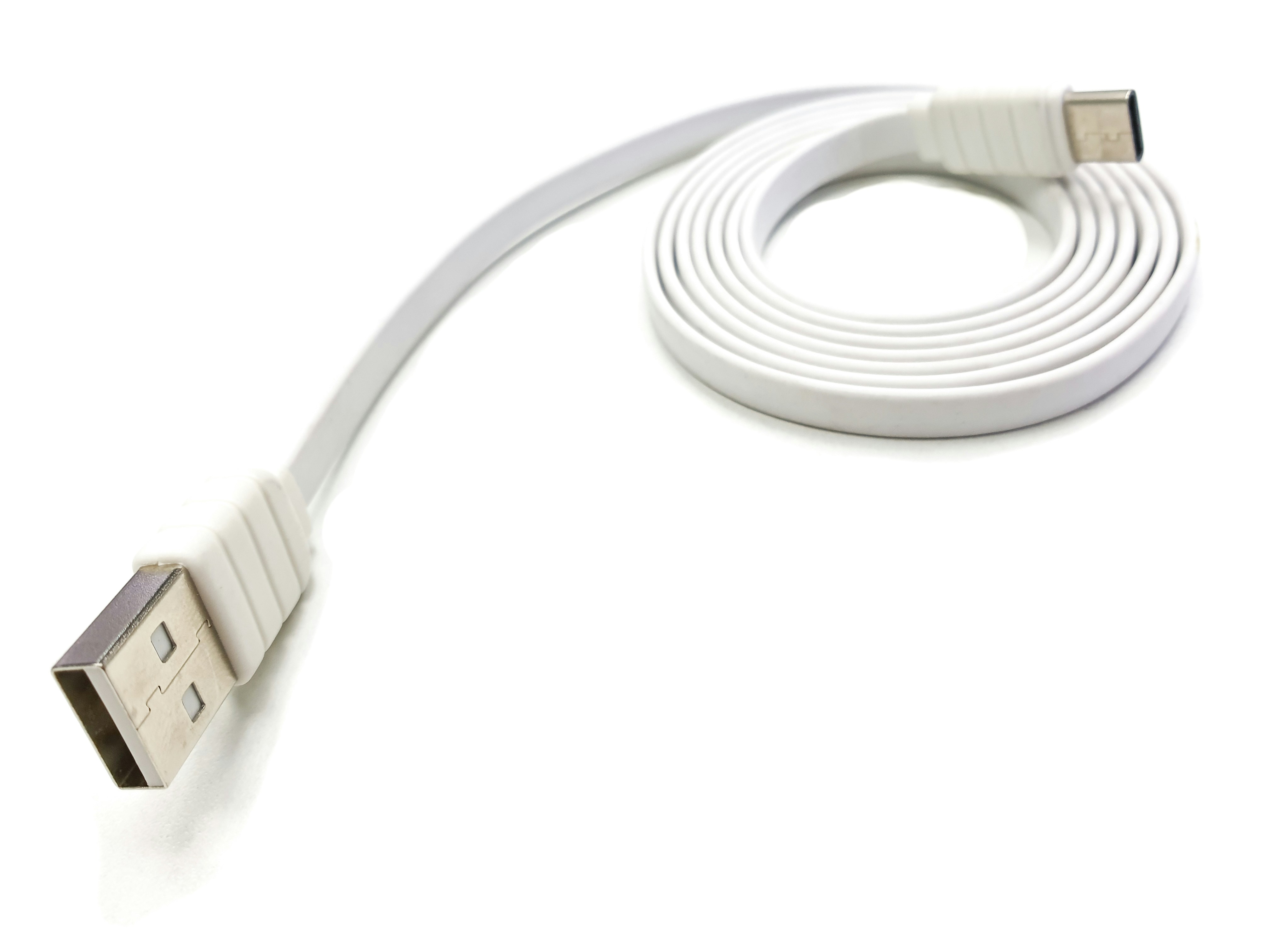
Introduction to USB 2.0
Universal Serial Bus (USB) 2.0 is a widely adopted standard for connecting devices and transferring data at speeds significantly improved compared to its predecessors. Introduced in the year 2000, USB 2.0 offered a maximum data transfer rate of 480 Mbps, which marked a considerable advancement over USB 1.1, which had a cap of 12 Mbps. This enhancement facilitated faster file transfers and allowed for more efficient communications between a wider array of devices, including printers, external hard drives, and various peripherals.
The USB 2.0 standard supports a range of device types and functionalities, making it an essential component in contemporary computing environments. Devices utilizing USB 2.0 can operate in various modes including low-speed, full-speed, and high-speed, catering to the needs of diverse applications, from simple peripherals to complex hardware. The capability to connect multiple devices through a single port—using hubs—adds to its versatility.
Comparatively, USB 2.0 enhanced connectivity options over the first generation, while paving the way for subsequent standards, namely USB 3.0 and beyond. These later versions introduced further improvements in transfer speeds and power management, but USB 2.0 continues to be relevant due to its compatibility with an extensive variety of legacy devices. Furthermore, its compact design and plug-and-play functionality markedly simplify the user experience. As a result, USB 2.0 maintains a critical place in the landscape of device interconnectivity, the significance of which is underscored by the need for optimal cable length for effective data transfer.
The Importance of Cable Length in USB 2.0
In the realm of USB 2.0 technology, understanding the implications of cable length is vital for ensuring optimal performance. The specified maximum cable length for USB 2.0 is 5 meters (approximately 16 feet), a standard that has been established to balance the trade-offs between data transfer speed, signal integrity, and power delivery.
As the length of a USB cable increases, the likelihood of data transfer issues also escalates. This is due, in part, to the attenuation of the electrical signals that travel through the cable. When the cable exceeds the recommended length, the risk of signal degradation rises, potentially causing slower data rates or complete communication failures. Therefore, adhering to these specified lengths is crucial for maintaining the integrity of the data being transferred.
Furthermore, power delivery across USB 2.0 cables can also be significantly affected by excessive length. Longer cables may result in voltage drops, which could impair the performance of connected devices. USB 2.0 is designed to provide up to 500mA of current, but as the distance increases, maintaining this level can become challenging, potentially leading to insufficient power for operational needs.
In summary, the significance of adhering to the maximum cable length in USB 2.0 cannot be overstated. It plays a crucial role in ensuring that data transfer remains reliable and that devices receive adequate power to function correctly. Keeping within the specified limits allows users to avoid the common pitfalls associated with length-related issues, thus optimizing their USB 2.0 experience.
Official Maximum Cable Length for USB 2.0
The official maximum cable length for USB 2.0 is established at 5 meters. This specification is critical to ensure optimal data transfer rates and reliable communication between connected devices. The regulation of this maximum length stems from a combination of factors, predominantly focusing on signal integrity and loss.
USB 2.0 operates at a transmission speed up to 480 Mbps, a considerable rate that is susceptible to degradation over longer distances. As the distance between USB devices increases, the signals transmitted through the cable can experience attenuation. This attenuation results in loss of signal strength, which can lead to data errors or transmission failures. Therefore, the 5-meter limit is designed to minimize these risks, allowing users to maintain an efficient and effective data transfer experience.
Another important consideration is the electrical properties of the cable itself, including resistance and capacitance. As the length of the cable increases, so does the likelihood of increased resistance, which can result in additional signal degradation. To counterbalance these issues, USB specifications have been carefully formulated to ensure that the maximum distance remains within the parameters of reliable performance.
For applications requiring longer connections, such as professional setups or extensive home installations, users may consider active USB cables or USB hubs. These alternatives can amplify the signal, allowing for greater distances without sacrificing data integrity. However, it is vital to understand that while the official maximum cable length for USB 2.0 is 5 meters, utilizing different technologies can extend this length while maintaining effective communication between devices.
Factors Influencing Cable Performance Beyond Length
The performance of USB 2.0 cables is not solely dictated by their length; several additional factors play a crucial role in determining their overall effectiveness. These include cable quality, the materials used in manufacturing, and various environmental conditions.
Firstly, cable quality can significantly affect data transmission efficiency. High-quality cables often utilize superior manufacturing techniques that ensure reduced signal loss over longer distances. Such cables are engineered with higher precision, leading to better performance and enhanced durability. Cheaper cables may compromise on these aspects, resulting in diminished connection stability and increased risk of data corruption, particularly as the cable length increases.
Secondly, the materials used in the production of USB cables can greatly influence their performance. The type of conductor, insulation, and shielding utilized all contribute to the cable’s ability to transmit data effectively. For instance, copper is commonly used as a conductor owing to its excellent conductivity characteristics. In contrast, lower-quality cables might contain aluminum or other less effective materials, leading to higher resistance and more signal degradation. Additionally, insulation and shielding materials protect against electromagnetic interference, which can disrupt data transmission, especially in electrically noisy environments.
Environmental conditions also play a significant role in the effective performance of USB 2.0 cables. Factors such as temperature, humidity, and exposure to physical stress can impact both the short-term and long-term performance capabilities of a cable. A cable subjected to high levels of moisture or extreme temperatures may experience degradation of its materials, ultimately affecting signal quality and integrity.
Thus, understanding these influencing factors is essential for ensuring optimal USB 2.0 cable performance, extending beyond considerations of length alone.
Extending USB 2.0 Cable Length: Solutions and Methods
When it comes to extending the maximum cable length for USB 2.0 connections, several solutions exist to ensure reliable communication over increased distances. The most common methods employed include the use of USB hubs, USB repeaters, and active USB cables. Each of these options presents its own advantages and disadvantages.
USB hubs allow multiple devices to connect through a single USB port. They are widely used in various settings, enabling not just extension, but also efficient distribution of USB connections. A significant advantage of using a hub is its simplicity; users can add several devices without needing additional cable runs. However, performance can be compromised when multiple devices are connected to a single hub, especially if they draw considerable power or bandwidth.
USB repeaters serve a similar purpose, amplifying the signal of a USB connection to extend its operational range. They can be used effectively to extend the standard 5-meter limit of USB 2.0 cables. The primary benefit of a USB repeater is its ability to maintain signal strength over longer distances, which can be particularly useful in large office or industrial environments. On the downside, repeaters are limited in how many they can be linked together before the signal degrades, and they may introduce latency in data transmission.
Active USB cables are another viable option for extending cable length. Unlike passive cables, which simply pass the data along, active cables contain electronics that regenerate the signal, allowing for lengths of up to 30 meters or more. These cables provide high fidelity and low latency, making them excellent for high-performance applications. However, they are generally more expensive than their passive counterparts and may require external power, leading to further complications in installations.
Ultimately, the best solution depends on the specific requirements and constraints of your USB setup, including distance needs, power availability, and budget considerations.
Real-world Applications and Considerations
In various practical scenarios, the maximum length of USB 2.0 cables plays a crucial role in ensuring efficient connectivity and performance. One common example is in home and office setups where devices such as printers and scanners are frequently used. In such environments, typically, devices are positioned at varying distances from the central computer. Using USB 2.0 cables longer than the recommended maximum length of 5 meters may result in signal loss, ultimately leading to slower data transfer speeds or complete connectivity issues.
Moreover, in industrial applications, USB 2.0 cables are often employed to connect machinery and control systems to computers for monitoring and data gathering. The layout of machinery within the factory floor might necessitate extended cable lengths, yet adhering to the specified USB limitations is essential to maintain signal integrity. Longer cable runs can introduce electromagnetic interference, further compromising the communication between the devices and the central computer.
External drives are becoming increasingly prevalent in both personal and business settings for data storage solutions. When connecting a USB 2.0 external hard drive at a distance greater than 5 meters, users may encounter inconsistent performance, such as delays in file transfer or even drive disconnections. Thus, utilizing a powered USB hub can be beneficial. Such hubs can boost the signal and allow for greater cable distances while ensuring reliable performance, mitigating many limitations associated with using longer cables.
Finally, when designing installation layouts or planning device placement, it is crucial to consider these cable length limitations in advance. Proper planning can help avoid the pitfalls of signal degradation, ensure optimal device performance, and ultimately lead to a more efficient workflow in any environment where USB 2.0 devices are utilized.
Common Misconceptions About USB 2.0 Cable Lengths
USB 2.0 technology has been around for quite some time, and with its widespread use, several misconceptions regarding its cable lengths have emerged. One of the most prevalent myths is that longer USB 2.0 cables will always lead to a dramatic reduction in data transfer speeds. While it is true that cable length can affect performance, the impact is not as linear as some may believe. USB 2.0 supports lengths up to five meters (about 16 feet) without significant loss of speed, provided the cable quality meets the required specifications. Beyond this length, the data integrity can begin to diminish, which might lead to slower speeds, but this degradation starts typically at lengths much longer than five meters.
Another common misconception is that all USB 2.0 cables are the same and can perform equally irrespective of their construction quality. In reality, the physical characteristics of the cable, including the material and gauge of the wires, as well as the shielding used, play crucial roles in determining performance over distance. High-quality cables often employ superior materials that minimize data loss, thus supporting optimal performance even at longer lengths.
Some users also assume that using a USB hub can adversely affect their connection when extending cable lengths. While it is true that adding hubs can introduce potential bottlenecks, if the hub complies with the USB 2.0 specification and is of good quality, it should function efficiently without degrading performance significantly. Therefore, it’s important to understand that while distance can impact USB performance, the quality of the components used in the cable and hub also plays critical roles. Educating oneself about these misconceptions can significantly enhance users’ experiences with USB 2.0 technology.
Best Practices for Using USB 2.0 Cables
When utilizing USB 2.0 cables, it is important to adhere to certain best practices to ensure optimal performance and longevity of both the cables and connected devices. First and foremost, selecting the right cable is crucial. Not all USB 2.0 cables are created equal; they can vary in quality, length, and shielding. Therefore, it is advisable to choose cables from reputable manufacturers, which can influence reliability and durability.
Maintaining connection quality is another significant aspect to consider. To prevent signal degradation, avoid using excessively long cables whenever possible. While USB 2.0 supports cable lengths up to 5 meters, it is recommended to keep them on the shorter side, especially for high-bandwidth applications. Additionally, be cautious of how cables are routed. Taking care to avoid tight bends, sharp angles, or pinching can help preserve the integrity of the wires within the cable.
Another best practice is to regularly inspect USB cables for signs of wear and tear. Damaged cables can result in connectivity issues or even cause hardware failures. If a cable is fraying or experiencing intermittent connectivity, it is prudent to replace it immediately. Furthermore, ensure that connectors are free from dirt and debris; maintaining cleanliness can enhance connectivity and performance.
Lastly, avoid daisy-chaining multiple USB hubs when connecting devices, as this can lead to reduced power and slower data transfer rates. Instead, it is better to connect devices directly to the host whenever possible, or use powered hubs to ensure devices receive adequate power supply. Adhering to these best practices will enhance the user experience with USB 2.0 cables and maximize their effectiveness.
Conclusion and Future of USB Standards
In summary, the maximum cable length for USB 2.0 is a critical factor that impacts the performance of devices utilizing this standard. Primarily designed for relatively short distances, USB 2.0 supports a maximum cable length of 5 meters. This limitation is rooted in its design specifications, which prioritize speed and reliability in data transmission. Exceeding this length can lead to signal degradation, causing slower data transfer rates and potential connectivity issues. Understanding this constraint is essential for users who need to ensure optimal performance when setting up USB connections.
As technology progresses, USB standards have continued to evolve. The introduction of USB 3.0 marked a significant enhancement, increasing the maximum cable length to about 3 meters while doubling the data transfer rate compared to its predecessor. This advancement allows for a wonderful range of applications requiring higher bandwidth, such as external hard drives and high-definition webcams. Furthermore, with the advent of USB-C, the potential for even greater flexibility in cable length and performance is on the horizon. USB-C technology supports higher speeds and improved power delivery, combined with its reversible connector design, which enhances user convenience.
The future of USB standards also points towards enhanced quality and reliability with longer cable distances. As ongoing research and development continue to explore advanced materials and signal boosting technology, we may expect to witness innovations that can surpass existing limitations. The evolution from USB 2.0 through USB 3.0 to USB-C demonstrates a commitment to addressing user demands for higher speeds, increased reliability, and improved ease of use. Therefore, as we move forward, understanding the implications of these advancements will be vital for consumers and manufacturers alike to adapt to the shifting landscape of data transfer technology.