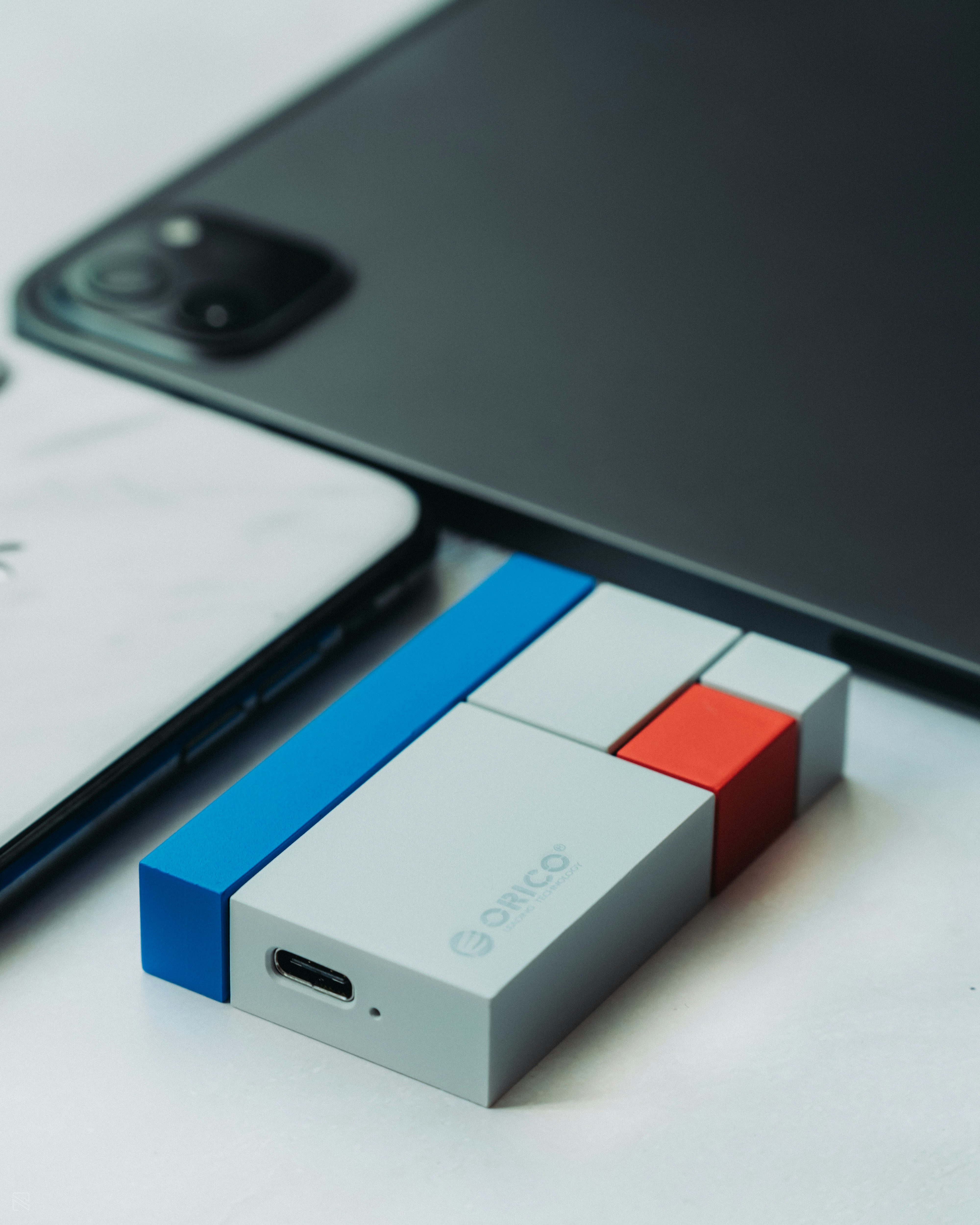
Introduction to USB On-The-Go (OTG)
USB On-The-Go (OTG) is a specification that enhances the flexibility of USB connections, allowing devices to switch between host and peripheral modes. This technology enables a wide range of functionalities, particularly in mobile devices, which have become integral to our daily lives. With USB OTG, a smartphone or tablet can act as a host for various peripherals, such as USB drives, keyboards, mice, and even game controllers, thus facilitating enhanced productivity and user experience.
The primary significance of USB OTG lies in its ability to simplify connections between devices without the need for a computer as an intermediary. For instance, users can directly transfer files from USB drives to their smartphones or connect digital cameras to view photos. This not only streamlines workflow but also elevates the efficiency of managing data across multiple devices.
To elaborate on its basic functionality, USB OTG is characterized by its ability to allow devices to communicate directly. When two devices are connected using an OTG cable, one device takes the role of the host, providing the necessary power and initiating communication. Conversely, the other device acts as a peripheral, receiving commands and responding to the host. This two-way communication is a revolutionary advancement, facilitating seamless interactions between different hardware, ultimately enhancing the versatility of portable devices.
As technology continues to evolve, the importance of USB OTG becomes more pronounced. Given that our reliance on portable gadgets continues to grow, understanding USB OTG and its functionality is crucial for anyone looking to make the most of their devices. The capacity for direct connections diminishes the need for additional equipment, making USB OTG not merely an improvement in connectivity but a significant technological advancement in enhancing mobile device capabilities.
How USB OTG Works
USB On-The-Go (OTG) is a versatile technology that allows USB devices to communicate with each other without the need for a traditional host computer. In a standard USB connection, one device acts as the host, typically powering and controlling data transfer to the peripheral device, such as a keyboard or mouse. This setup usually imposes a strict hierarchy where the host device dictates the terms of interaction.
However, with USB OTG, the roles of these devices can switch dynamically, enabling a more flexible connection. In this arrangement, any compatible device can either function as a host or a peripheral. A classic example can be seen when connecting a smartphone to a USB flash drive; the smartphone takes on the role of the host, providing the necessary power and control to access the data stored on the flash drive.
One of the key technical aspects of USB OTG is its distinction in power distribution. In a typical USB setup, the host supplies power to the peripheral. In OTG connections, the host device, usually a mobile device, must be able to supply power to the connected peripherals; thus, it transmits both data and power. This flexibility facilitates a range of applications, from accessing files on external drives to linking various peripherals like game controllers, digital cameras, and more.
Notably, OTG also requires specific hardware capabilities. Devices must include OTG support in their specifications, allowing them to recognize when a connection occurs and adjust their functions accordingly. Upon connection, the device’s operating system identifies the connection type and configures itself automatically for optimal communication. This efficient system means users can leverage the advantages of USB OTG quickly without extensive manual configurations.
Advantages of USB OTG Technology
USB On-The-Go (OTG) technology offers several advantages that make it a compelling choice for users seeking enhanced device functionality. One of the primary benefits of USB OTG is its ability to connect a variety of device types seamlessly. This versatility allows users to link USB peripherals such as keyboards, mice, and game controllers directly to their mobile devices without requiring a personal computer as an intermediary. This makes for a more straightforward and efficient way to interface with different devices.
Another significant advantage of USB OTG is the capability to facilitate direct data transfer between devices. Users can transfer files, photos, and videos from one device to another without the need for cloud services or additional software. With this feature, users can quickly share content with friends or transfer necessary files on the go, thereby enhancing productivity and convenience.
Additionally, USB OTG can enrich the functionality of mobile devices by allowing them to perform tasks that were once exclusive to larger devices like laptops or desktop computers. For instance, with USB OTG, a smartphone can act as a host and directly read content from USB flash drives or external hard drives. This expands storage options significantly, enabling users to access larger amounts of data without relying solely on the mobile device’s internal memory.
Moreover, the implementation of USB OTG technology can lead to a reduction in the number of cables and accessories needed for everyday tasks. Users can minimize clutter by using a single standard connector for various devices, making it easier to manage and organize electronic essentials. Overall, the combination of connectivity, direct file transfer capabilities, and extended functionality positions USB OTG technology as a valuable enhancement to modern mobile experiences.
Common Use Cases for USB OTG
USB On-The-Go (OTG) technology has revolutionized the way we interact with portable devices, allowing smartphones and tablets to serve as hosts for a range of USB peripherals. One of the primary applications of USB OTG is the ability to connect USB flash drives directly to mobile devices. This enables users to access and transfer files without needing a computer, streamlining data mobility and enhancing productivity.
Another prevalent use case is the connection of keyboards and mice to mobile devices. By utilizing USB OTG, users can transform their smartphones or tablets into a more traditional computing experience, complete with a physical keyboard and mouse. This is particularly beneficial for extensive typing tasks, such as drafting emails or creating documents, where the touch interface may prove less efficient.
Additionally, USB OTG allows for the attachment of game controllers, which can significantly enhance the gaming experience on mobile devices. Gamers can connect dedicated controllers, providing improved control and responsiveness compared to on-screen controls. This adaptability opens up a wide range of gaming applications for smartphones, catering to both casual and serious gamers alike.
Furthermore, USB OTG facilitates the connection of external hard drives, offering users substantial additional storage capabilities. This is particularly valuable for those who regularly work with large media files, such as photos and videos, allowing for quick access and editing directly on the mobile device without the need for cloud storage.
In summary, USB OTG serves a plethora of purposes, significantly enhancing the functionality of smartphones and tablets. From connecting USB flash drives and peripherals like keyboards and mice to optimizing mobile gaming and expanding storage capabilities, USB OTG stands out as a vital feature for modern mobile device users.
Devices Compatible with USB OTG
USB On-The-Go (OTG) technology has revolutionized the way devices interact with each other, allowing users to connect peripherals directly to their devices without the need for a computer. The range of devices that support USB OTG is extensive, primarily including smartphones and tablets. Most recent Android devices support this functionality, with a focus on models released within the last few years. For instance, brands such as Samsung, Google, LG, and OnePlus often come equipped with USB OTG capabilities, making it possible for users to attach a variety of external devices.
To determine if a specific smartphone or tablet is USB OTG compatible, users can conduct a few simple checks. One approach is to refer to the device’s specifications, usually available on the manufacturer’s website or in the user manual. Additionally, various applications on the Google Play Store can be downloaded to quickly verify OTG support. These applications typically analyze the device’s hardware and provide a clear indication of OTG compatibility.
In addition to smartphones and tablets, USB OTG functionality extends to other gadgets, such as digital cameras, gaming consoles, and even printers. For example, many cameras now support OTG, which allows photographers to transfer images directly to external drives or portable storage devices. Furthermore, certain gaming consoles also allow for the connection of controllers or storage devices via USB OTG, enhancing the gaming experience.
Overall, as technology evolves, the number of devices supporting USB OTG continues to grow, making it an increasingly important feature for users looking to expand their device’s capabilities.
Setting Up USB OTG: A Step-by-Step Guide
Setting up USB On-The-Go (OTG) can greatly enhance your device’s capabilities, allowing for easy file transfers and connectivity with external devices. This guide will walk you through the process step-by-step.
First, ensure your device supports USB OTG. You can usually find this information in the specifications provided by the manufacturer or check compatibility online. Once you confirm that your device is compatible, proceed to obtain a suitable USB OTG adapter or cable. This adapter typically has a micro-USB or USB-C connector on one end and a standard USB port on the other.
Next, connect your USB OTG adapter to your mobile device. Depending on the type of port your device has, either plug in the micro-USB or USB-C connector. After the adapter is securely connected, plug your desired peripheral device into the standard USB port of the OTG adapter. This could be anything from a USB flash drive to a keyboard or even a game controller.
Now that your devices are connected, the next step is to access your files. For file management, you may need to download a file management app such as “Files by Google” or “ES File Explorer” if your device does not have one pre-installed. Open the file management app, and you should be able to see your USB device listed among other storage options. From here, you can view, transfer or manage your files as necessary.
If you encounter any issues, troubleshoot by checking the connections and ensuring that the peripheral is functioning properly. Additionally, attempting to connect the USB device to a different port or using another adapter can help resolve compatibility issues.
By following these steps, you will be able to successfully set up and utilize USB OTG, enhancing the functionality of your device.
Limitations and Challenges of USB OTG
While USB On-The-Go (OTG) technology provides many advantages, it is not without its limitations and challenges. One of the primary concerns is compatibility issues. Not all devices support OTG functionality, which can be a significant hindrance for users attempting to connect peripherals like keyboards, mice, or external storage. For example, many entry-level smartphones may lack the necessary hardware or software support for OTG, leading to frustration for users who expect seamless connectivity.
Another considerable issue is power limitations. USB OTG devices are often limited by the amount of power they can supply to connected peripherals. In many cases, the host device (usually a smartphone or tablet) may not provide sufficient power to operate external devices effectively, particularly those that require a higher power draw. This can lead to unreliable connections or even complete failures to recognize external accessories.
Moreover, users might encounter issues related to data transfer speeds and file formats. Though USB OTG can facilitate the transfer of data between devices, factors such as the type of USB standard being used and the capabilities of the connected devices can affect the efficiency and speed of transfers. Furthermore, not all file types may be supported by the host device, which can create additional challenges when trying to access or transfer specific media formats.
Additionally, users may face difficulties with device management and configuration. Connecting various peripherals often requires manual intervention, such as adjusting settings or managing memory space, which may not be intuitive for all users. These limitations can detract from the overall user experience, highlighting the need for potential improvements in future iterations of USB OTG technology.
The Future of USB OTG and Similar Technologies
As technology continues to advance at a rapid pace, USB On-The-Go (OTG) is poised for significant evolution in the coming years. Currently, USB OTG enables devices such as smartphones and tablets to connect with various peripherals like keyboards, mice, and external drives, extending their utility. The future of USB OTG, however, represents a pivotal point in connectivity, suggesting a potential convergence of standards and innovations not just in USB technology, but across the broader landscape of electronic devices.
One noteworthy trend is the increasing demand for faster data transfer rates and higher power delivery capabilities. Newer versions of USB, such as USB4, which combines data, display, and power delivery in a single cable, hint at the capabilities that could be integrated into OTG technology. It is conceivable that OTG will incorporate these advancements, thereby allowing for seamless communication between devices while also charging them efficiently. Such integration could pave the way for a more flexible ecosystem where devices interchange data and power effortlessly.
Moreover, as the Internet of Things (IoT) proliferates, the role of USB OTG may expand to accommodate a variety of interconnected appliances and sensors. Future developments may include protocols that enable even higher levels of interoperability between disparate devices. For example, envision a household where smartphones can easily connect to various smart appliances, offering not just data exchange but also control capabilities through OTG connections.
Additionally, the growth of wireless technologies may also impact the trajectory of USB OTG. While many users still prefer the reliability of wired connections, the trend towards wireless solutions could influence manufacturers to enhance OTG features that complement wireless connectivity. The focus will likely shift to hybrid models, allowing devices to switch seamlessly between wired and wireless operations, thus providing users with versatile connectivity options.
In conclusion, the future of USB OTG and related technologies is promising, characterized by advancements that could redefine how we connect and interact with our devices. As innovation continues, USB OTG may well adapt to meet evolving demands, ensuring its relevance in a fast-paced digital world.
Conclusion
In conclusion, USB On-The-Go (OTG) technology plays a pivotal role in enhancing user experiences across various devices. Throughout this guide, we have explored the fundamental aspects of USB OTG, including its functionality, compatibility, and practical applications. By allowing devices to act either as a host or a peripheral, USB OTG offers unparalleled versatility that caters to the needs of a modern mobile environment.
We have discussed how USB OTG enables users to connect a wide range of peripherals, such as keyboards, mice, and external storage devices, directly to their smartphones or tablets. This functionality not only enhances productivity but also streamlines the process of data transfer and management. Furthermore, the increase in mobile devices supporting USB OTG signifies a shift towards a more connected and convenient user experience.
Moreover, the significance of USB OTG can also be seen in the context of improving connectivity in our increasingly mobile world. As users demand more from their devices, USB OTG meets both those expectations and enhances the functionality of smartphones and tablets by offering more robust options for device interaction. By understanding and utilizing USB OTG, users can take full advantage of their devices’ capabilities, thus maximizing efficiency and convenience.
Ultimately, embracing USB OTG not only fosters a user-friendly environment but also reflects a growing trend towards mobile versatility and interconnectivity. As technology continues to evolve, USB OTG remains an essential feature that bridges the gap between traditional computing and portable devices, making it an indispensable aspect of modern digital interaction.